For busy days, at work and at home
Remember the detail that makes a gift feel personal. Prepare before a meeting. Follow up on what you promised. Joe brings people, dates and commitments together and helps you prepare the next step. You choose the words, pick the gift and make it yours.
Current app screens · sample data
PEOPLE
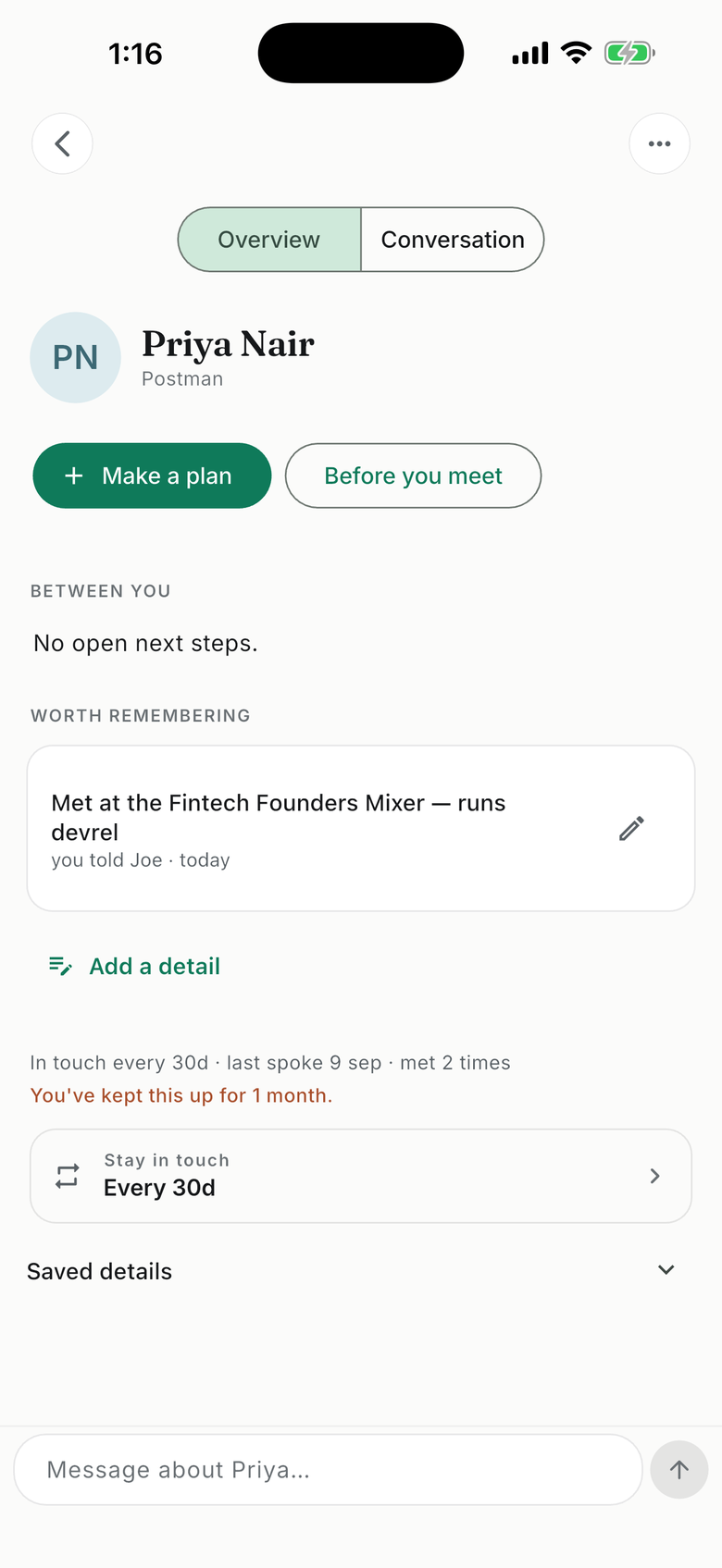
Remembered, not just stored.
Tell Joe who you met and what matters: a birthday, a preference, a promise or a conversation. When an important date is coming up, ask for a few relevant gift ideas or prepare a message. Explore the options and choose what feels right.
Connect Google Calendar for upcoming meetings and patterns in your scheduled activity. You tell Joe which relationships matter and what happened beyond the calendar.
BILLS
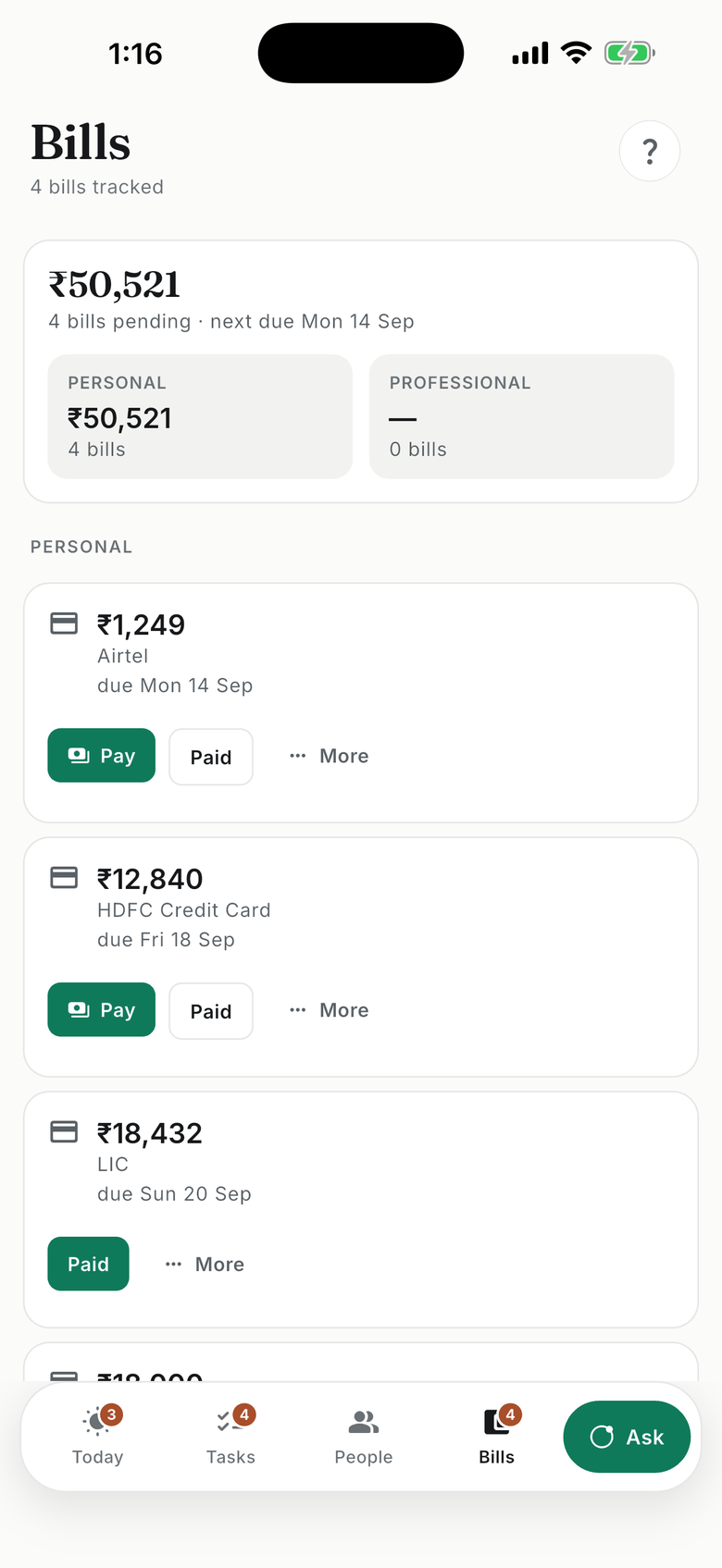
Keep the bill and the deadline together.
Forward any bill or statement to joe@joehukum.app. The amount and due date land in Bills, with a Pay button when the bill carries one — it opens your biller’s own page; Joe never touches the payment. Password-protected statement? Add the password once. Joe can match receipts to tracked bills; you can also mark a bill paid. For recurring bills, set up forwarding from senders you choose.
Joe also has a WhatsApp number — +1 289 430 0386. A promise, a photo of a bill, a voice note: send it there and it lands on the same ledger.
YOUR DAY
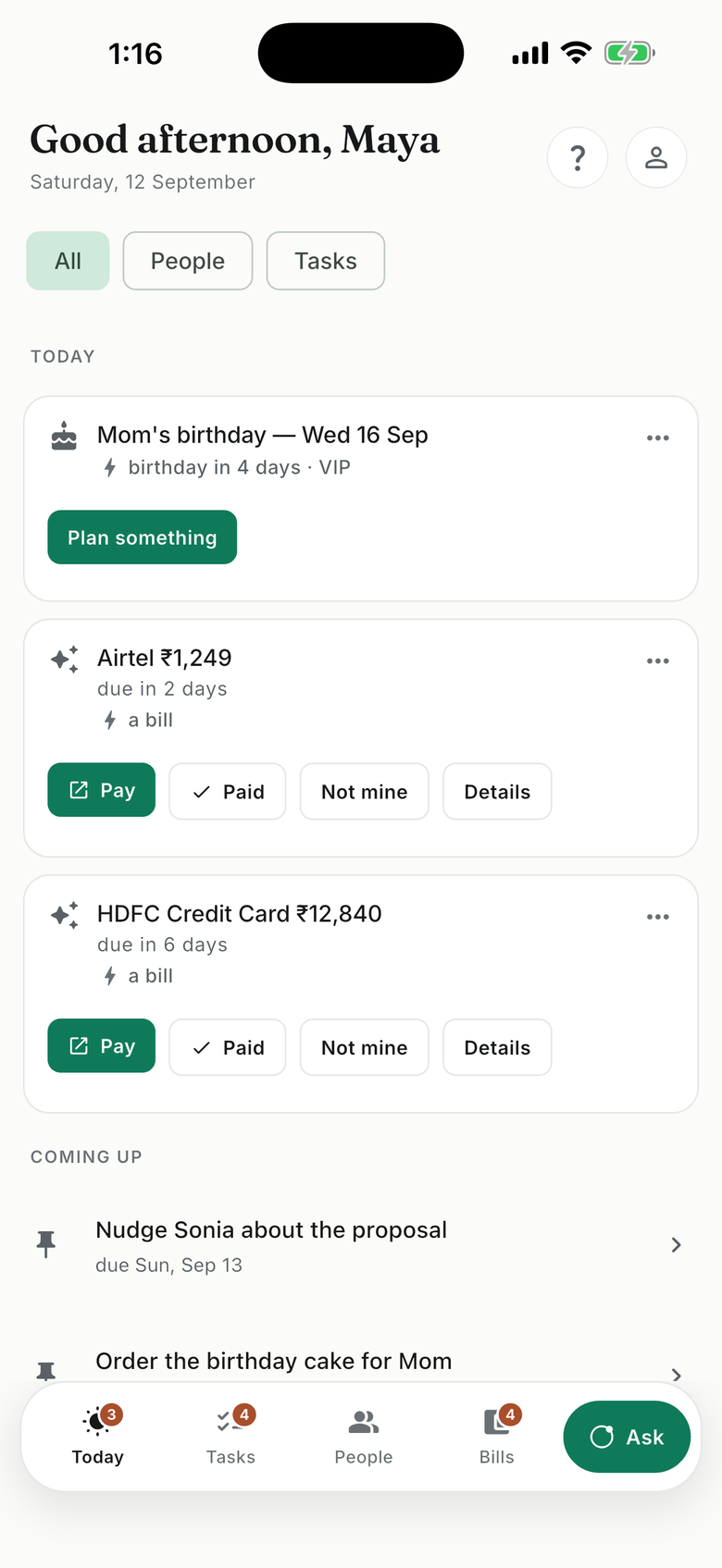
Know what needs your attention.
Review upcoming dates, reminders and open commitments together. See the person and context behind the next step. Enable a morning brief if it helps you start the day, and update Joe when plans change.
Remember. Prepare. Follow through.
A birthday coming up? Bring back what they enjoy and explore a few gift ideas. A proposal due Friday? Keep the promise with the person, prepare a follow-up, and update the deadline when plans change.
You choose the words, the gift and the final step. Joe can prepare a message or open a useful link. You send it, make the purchase or pay through your biller.
How is this different?
Context that stays with you
Keep a person’s preferences, important dates and open promises together. Ask Joe when you need the context again.
Commitments that stay current
Connect a reminder to the person or arrangement behind it. Review new evidence, correct a detail and see what still needs a decision.
Help across work and life
Prepare for a meeting, remember a birthday and keep track of everyday admin in the same place.
The personal touch stays yours
Joe helps prepare a message or a few gift ideas. You choose the words, explore the options and take the final step.
Trust is the product
Joe works from what you choose to share. Everything he keeps is yours to see, correct or delete.
You choose what Joe sees
Start by telling Joe. Add only the phone contacts you pick, and connect Calendar or Gmail only when they would help.
Sources are read-only
Google Calendar is read-only. Gmail, where available, is read within a scope you set and can change. Joe keeps useful details and source links, not a copy of your mailbox.
Correct or delete anything
Edit a saved detail, disconnect a source, or delete your account, in the app or by email. Joe says what he saved, so you can check it.
No ads. No selling your data.
Joe uses AI services to process what you share; it is never used to train their models. Usage analytics help us improve Joe.
Questions about Joe
Who is Joe for?
Joe is a personal CRM and executive assistant for busy professionals whose responsibilities cross work and home. Keep people, preferences, important dates and open promises together, then prepare the next step with context.
How do I get started?
Tell Joe something real: a person you met, a promise you made or a date you want to remember. Find JoeHukum in the App Store or on Google Play, or text Joe on WhatsApp. You can connect other sources later.
How is Joe different from a general AI chat?
Joe gives saved people, dates, bills and commitments their own places in the app. Return to a person to review what matters, see open next steps, or prepare for a meeting. Today brings upcoming dates and commitments together.
Do I need to connect Gmail, Calendar or my contacts?
No. You can start by telling Joe what matters. Calendar can add scheduled meeting context, Gmail can add details from the reading scope you choose, and you select which phone contacts to upload. Tell Joe about personal plans and conversations that are not in those sources.
Can Joe read my other WhatsApp chats?
No. Joe receives the messages and media you send or forward to its own WhatsApp conversation. It does not read your other chats. Link your number to use the same saved context in the app and choose where Joe can reach you.
Does Joe read my email?
Forward individual messages to your Joe address, or connect Gmail where it is available for your account. For connected Gmail, choose what Joe may read and which senders or domains to exclude. Joe checks headers and snippets, then reads relevant conversations within that scope. It keeps useful details and source links rather than a copy of your mailbox. Review scope, progress and removal controls in the app.
Will Joe send messages, buy gifts or pay bills for me?
Joe can prepare a message, suggest gift ideas or open a useful link. You review and send the message, choose what to buy and complete payment with the seller or biller. Joe sends reminders to you through the channels you enable.
What if a detail or date is wrong?
Edit the saved detail or tell Joe what to correct. You can change a task’s date, add a note, mark it done or dismiss a suggestion. Review the original source when one is available before acting on a bill or deadline.
What does Joe cost?
Joe is currently free while the product is early. Basic and Pro have different feature and usage limits; check You → Your plan in the app. Connection availability can also vary by account. Any future paid plan will show its price before you choose it.
Start with someone or something that matters.
A person, a promise, an upcoming date. Tell Joe in your own words.